Atomic Highlights
February 2026 Product Release Notes

February 26, 2026


February 2026 focused on workflow efficiency improvements, including new user-level views, bulk editing capabilities, email notifications, and a refreshed Payment Request table design. We also shipped significant improvements to the From/To account selection experience, fixed some key bugs and enhanced our platform's performance.
User Views (Curated Filters)
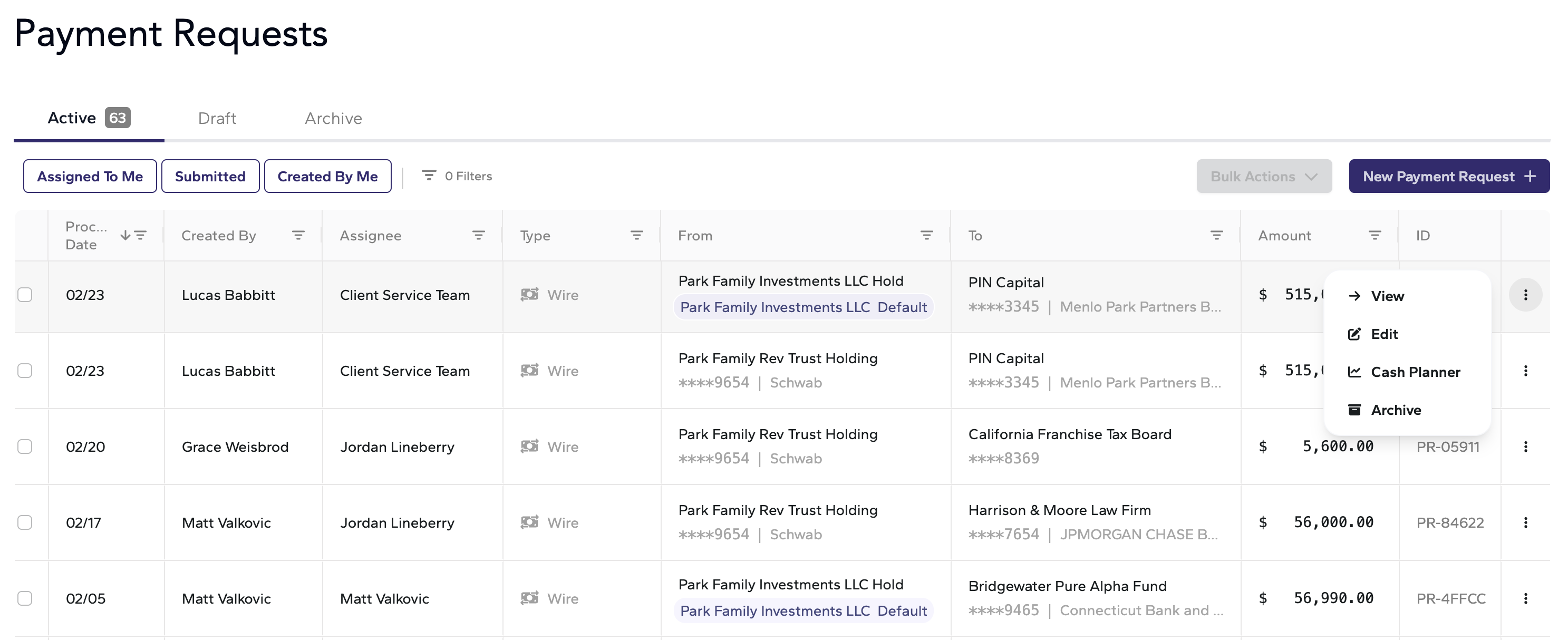
Users can now quickly filter the Payment Request table using pre-built views. Available views include:
• Assigned to Me — See only payments assigned to you
• Submitted — Track payments that have been submitted to custodian
• Watched — Monitor payments you're following
This replaces the need to manually configure filters for common workflows and helps teams manage higher payment volumes more efficiently.

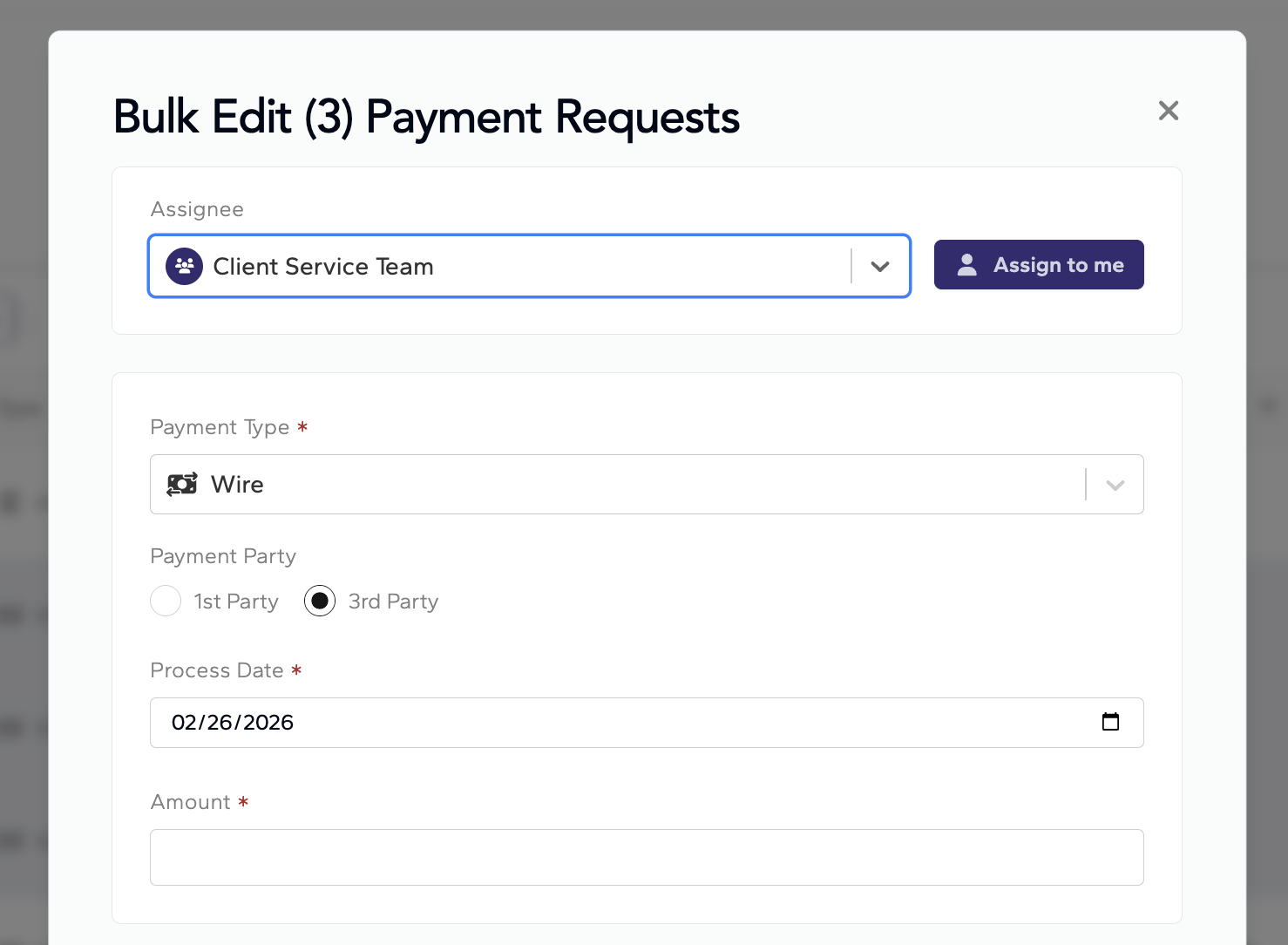
Bulk Edit Payment Requests
Select multiple payment requests and edit them simultaneously. Update assignees, due dates, or other fields across several payments at once—reducing repetitive clicks for high-volume operations teams.
"Created By" Column
A new "Created By" column on the Payment Request table shows who created each payment:
• For manually created payments: shows the user's name
• For email forwards: shows the person who sent the email
• For capital calls auto-generated by Atomic: shows "Atomic Insights"
This helps teams quickly identify auto-generated payments that need review.

Email Notifications
Users now receive email notifications when:
• A payment request is assigned to them
• A payment request is assigned to a User Group they belong to
Auto-Create Payment Requests
When an Arch or Canoe capital call or a forwarded email contains all required payment information, Atomic now automatically moves the payment request from Drafts to the Active tab (via a job that runs every 5 minutes). This streamlines the workflow for fully-populated payment requests.
Enhanced Balance Refresh
For payment requests due today or tomorrow, account balances now refresh every 10 minutes instead of waiting for the daily sync. This ensures cash and margin checks reflect near-real-time data when it matters most.
Refreshed Table UI
The Payment Request table received a visual refresh with a cleaner, more modern design:
• New ellipsis menu for quick actions on each row
• Double-click on any row to open payment details
• Improved table load performance
PR Table Default Behavior
The Payment Request table now loads without pre-applied filters by default, giving users a complete view of all payments before applying their preferred filters.
Audit Log Enhancements
The audit log now includes the source of payment request creation, providing better visibility into how each payment originated (manual, email forward, capital call integration, etc.).
Improved Account Selection UX
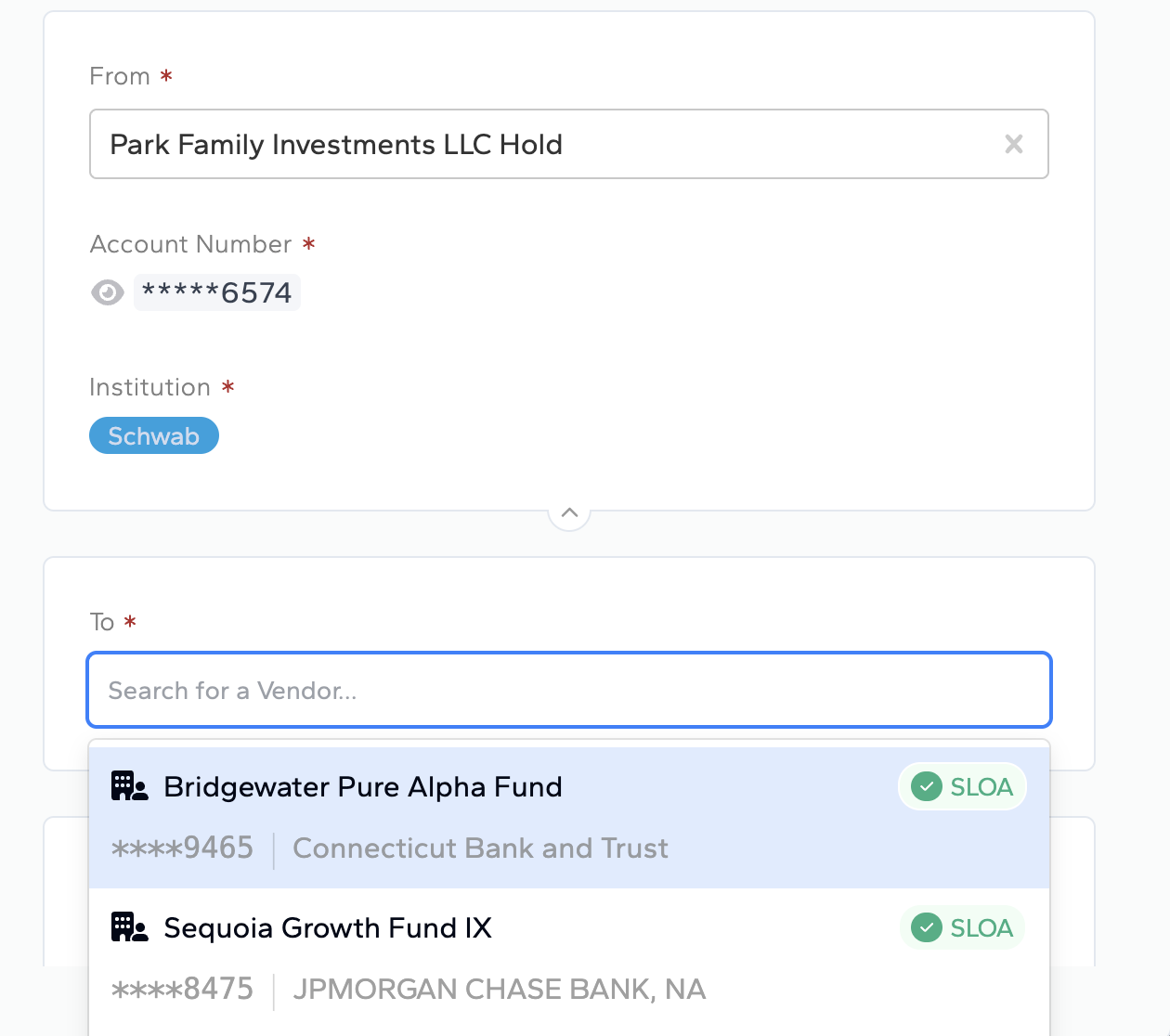
Major improvements to how users select From and To accounts when creating or editing payment requests:
• Cleaner interface for account selection
• Better visual hierarchy
• Reduced clicks to complete account selection
Search by SLOA Default Recipient
Users can now search the "To" account field based on existing SLOAs (default recipient accounts), eliminating the need to check the custodian portal for SLOA details.
Date Filter Fix
Resolved an issue where date filters on the Payment Request table were returning incorrect results after a recent update.
Logo/Email Signature Filtering
Improved document processing to prevent logo images and email signatures from being incorrectly parsed as payment requests.
Cash Planner Balance Display
Resolved an issue where certain Fidelity accounts showed $0 balances in Cash Planner despite having accurate balance data in the system.
Bulk Submit Error Handling
Added safeguards to prevent double-submission of payments.
Pipeline Monitoring
Added tracking of data pipeline run timestamps, providing better visibility into when custodian data syncs complete.
Arch Integration Rate Limiting
Implemented rate limiting on Arch authentication to improve reliability during high-volume capital call processing.
Questions or feedback? Reach out to us at support@atomicinsights.io.

Atomic Insights © 2026